Foundation & General Certificate FAQ | Chartered Institute of Brewers and Distillers Skip to main content Skip to footer

Foundation & General Certificate Exams

If you experience any issues during your Foundation and/or General Certificate exam, please contact our examination platform, TestReach, to support you in the first instance: support@testreach.com 

The Foundation and General Certificate examinations are all multiple-choice examinations that are assessed in an online remotely invigilated session on the CIBD Examination Platform.

Candidates should note that multiple choice questions can include multiple answers. Questions will indicate if multiple responses are required.

All candidates will be given a 15-minute window before the examination begins. This window is used to allow candidates to check their set-up, complete a system check, check ID and confirm with an invigilator that they are ready to begin their examination.

March, May (General Certificate ONLY) and October Examination Sessions

Examination

Number of Multiple Choice Questions

Duration of Examination

Foundation

50

90 minutes

General Certificate

60

120 minutes

No, all of our Foundation and General Certificate level examinations are online.

Up to 10 weeks before the date of the examination candidates can defer their exam date, to the immediate next examination cycle.

Within 10 weeks of the exam date candidates are only able to defer on the grounds of a medical emergency or other exceptional circumstance.

Please read our Deferral Policy for full details on how to request a deferral and the fees involved. Candidates must contact examinationboard@CIBD.org.uk to request any deferral.

No.

All parts of the syllabus may be covered in the examination questions. Questions will cover the breadth and depth of the syllabus, so candidates are recommended to cover all aspects as part of their revision preparation.

The examination makes provision for questions and answers to be supplied and accepted in both °C and in °F.

TestReach: Our Online Examination Platform

Candidates can download the TestReach app here. Candidates will also receive email instructions with information and next steps from the Examination Board 6-8 weeks before the exam. Candidates MUST comply with the instructions to successfully schedule their exact exam time slot.

·        Laptop / computer with 4GB of available memory. The TestReach app will not work on phones, chrome books, or ipads/tablets. We cannot guarantee service on touchscreen devices as some devices might be incompatible with the app. We recommend that candidates source a non-touchscreen device for their exams.

·        A Windows v7.0+ or Mac10.10+ operating systems. MacOS BigSur users need to upgrade to 11.3+

·        Intel Core i3 (or equivalent)

·        A working webcam, microphone and speakers

·        Minimum consistent candidate internet speed of 2 Mbps or higher

·        Recommended screen size of at least 13″ and a resolution of 1024 x 768.

Candidates must also ensure they have completed the following in TestReach:

  1. Set your local time-zone to ensure the correct examination times are available for your location.
  2. Complete the system check.
  3. Schedule your specific start time. NB. Please pay particular attention to the examination time (including time zone) that you choose as this will be the time you are required to take your examination. If you turn up late you will not be permitted to enter your examination. 
  4. Take the Test Tutorial – this lets you explore the in-exam environment and is strongly recommended to ensure you are fully prepared to take your exam 

If you are using a work computer/laptop, please download the application in plenty of time and ensure that there are no security protocols or firewalls that could prevent the application from running successfully. A copy of the TestReach whitelist instructions should be requested from examinationboard@cibd.org.uk well in advance of the examination date to pass to your company IT department.

If candidates experience issues with access to the internet during the examination they should work with the invigilator in the first instance, to see if the issues can be resolved. If it is not possible to resolve the issues candidates must submit a mitigating circumstance claim directly to the CIBD in accordance with our Exam Policies.

If you have technical difficulties on the day of your examination please immediately contact TestReach Support: TestReach Status. 

If the loss of connectivity is longer than the scheduled exam time or you are unable to complete the exam then please follow the guidance noted in the CIBD Mitigating Circumstances policy which can be accessed here: Exam Policies. The CIBD will assess each claim on a case-by-case basis.

Candidates who turn up more than 15 minutes late for their examination will forfeit their exam.

Yes, there are strict rules that must be followed. These are detailed in the CIBD Examination Regulations which can be accessed here: Exam Policies

No. Papers, notepads, notes etc, are not allowed on your desk when taking the exam. As part of the checks conducted by the invigilator, candidates will be asked to move their camera to show that their desk and surrounding area is clear and that there are no prohibited items present.

Yes, you are permitted to have a non-programmable calculator with you. You will be required to show this to your invigilator at the start of your exam.

You will also have access to an online (non- scientific) calculator in the TestReach platform.

On the day of your examination, you must:

  • Bring Identification – On the day of the examination you will be required to show a government issued photo ID to the invigilator via webcam. Acceptable forms of identification are; Driving Licence, Passport or Government issued photo identification card.

No other forms of ID will be accepted.

Your identification must be in date. Expired ID will not be accepted.

  1. TestReach Username and password – You must ensure you have your TestReach username and password ready to log in at your start time. If you cannot remember these, you must contact the CIBD BEFORE the day of your examination so these can be re-sent to you.
  2. Login to TestReach platform and connect with the invigilator.

Yes. All the online remotely invigilated exams are recorded for marking and moderation quality purposes.

Yes. If a candidate requires a comfort break, they must contact the invigilator as the validation checks will need to be re-confirmed before the exam can continue.

Please be advised that your examination time will not be paused in the instance that you take a comfort break.

For full details please also refer to the Examination Guidelines Exam Policies

Exams Results Publication

The CIBD Examination Board completes a thorough series of procedures and quality assurance checks to ensure accuracy in the evaluation of your exam.

The CIBD aims to release candidate results approximately 4 weeks from the date of the last examination.

All results are published in a candidate’s MyCIBD account.

All candidates will be sent an email confirming when the results have been published. The email will explain how to access results through your MyCIBD account.

Grade

Distinction: 90% or more

Credit: 80%- 89%

Pass: 66%- 79%

Fail: 65% or less


Any candidate who fails to meet the minimum passing grade is required to re-book via the CIBD website (www.CIBD.org.uk).

Candidates are required to pay the full qualification fee.

Candidates must check the website for details of when the next registration window will open.

Re-sits are not permitted.

The CIBD Examination Board do not provide feedback to candidates, only the grades.

Certificates

A digital version of their certificate will be available for each candidate approximately 2 weeks after results have been published. Candidates will be emailed details of how to access their digital certificate.

Digital Certificates are available to view and print on the CIBD Certificate portal. 

In order to access your digital certificate, candidates will be required to register their details on the CIBD Digital Certificate Portal (hosted by Advanced Secure Technologies).

You must follow the steps below for registration:

  • Please enter your email address and a create a password.
  • Please ensure you use the email address and details you have previously provided us with when registering for your exam. If you do not provide exact matching data, then the system will put your registration into a Pending authorisation queue. This will need to be manually checked by a website administrator, who will either accept or deny the registration.
  • Once you have completed registration you will receive an email verification which you will need to follow in order to complete your account setup.

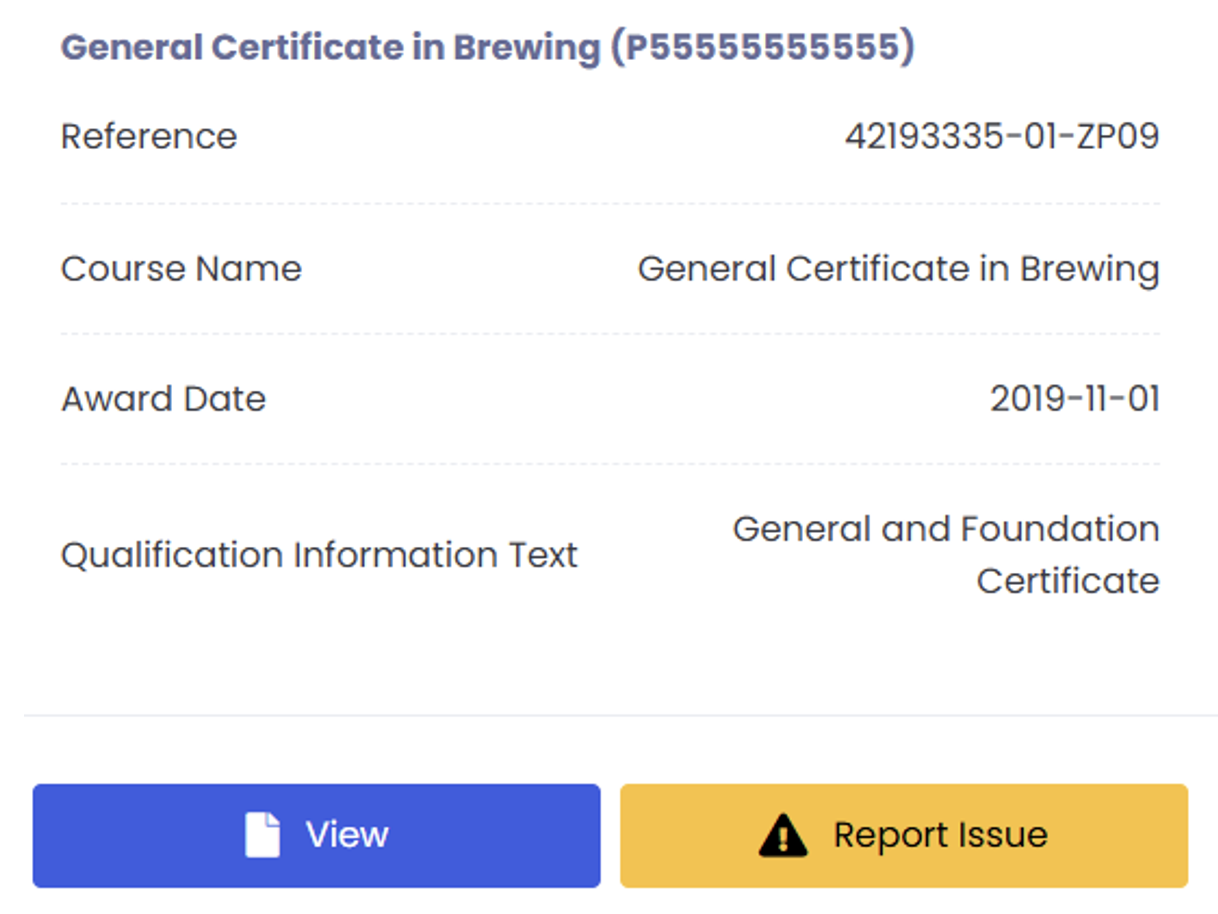
From the top menu click ‘Documents’.

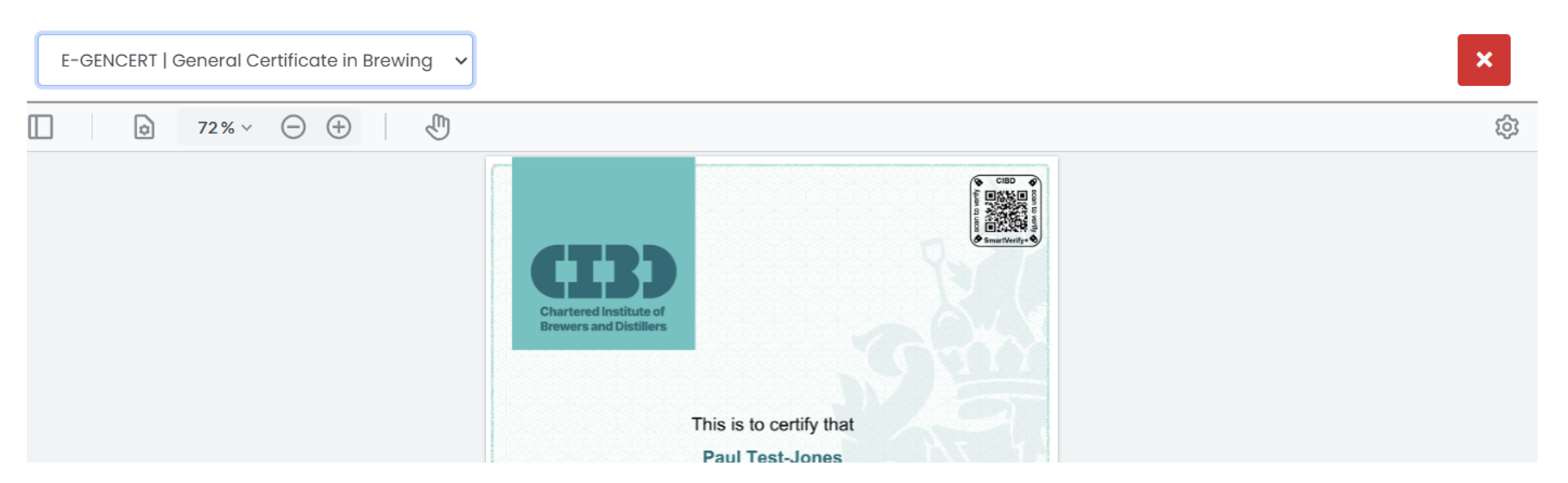
Once the page opens you have the option to view the certificate, by clicking ‘View’ at the bottom:


Candidates MUST use the email address they were originally registered with. Registration is a multi-step process and each candidate MUST verify their email address to complete their registration. Once you input your initial details you will be sent a link to verify your email address. If you do not use this link to verify your email the registration process will not be completed.

If you input the incorrect details too many times your account will become locked for a period of 60 minutes. You can re-try your details after this. If you are still unable to access your account you must use the forgotten password link on the main page.

Candidates MUST ensure they have completed their registration part of the account set-up before they attempt to login and access their certificate.

Once you are in the certificate page click the cog in the top right hand corner (under the red/white cross) and the ‘Print’ option should appear:

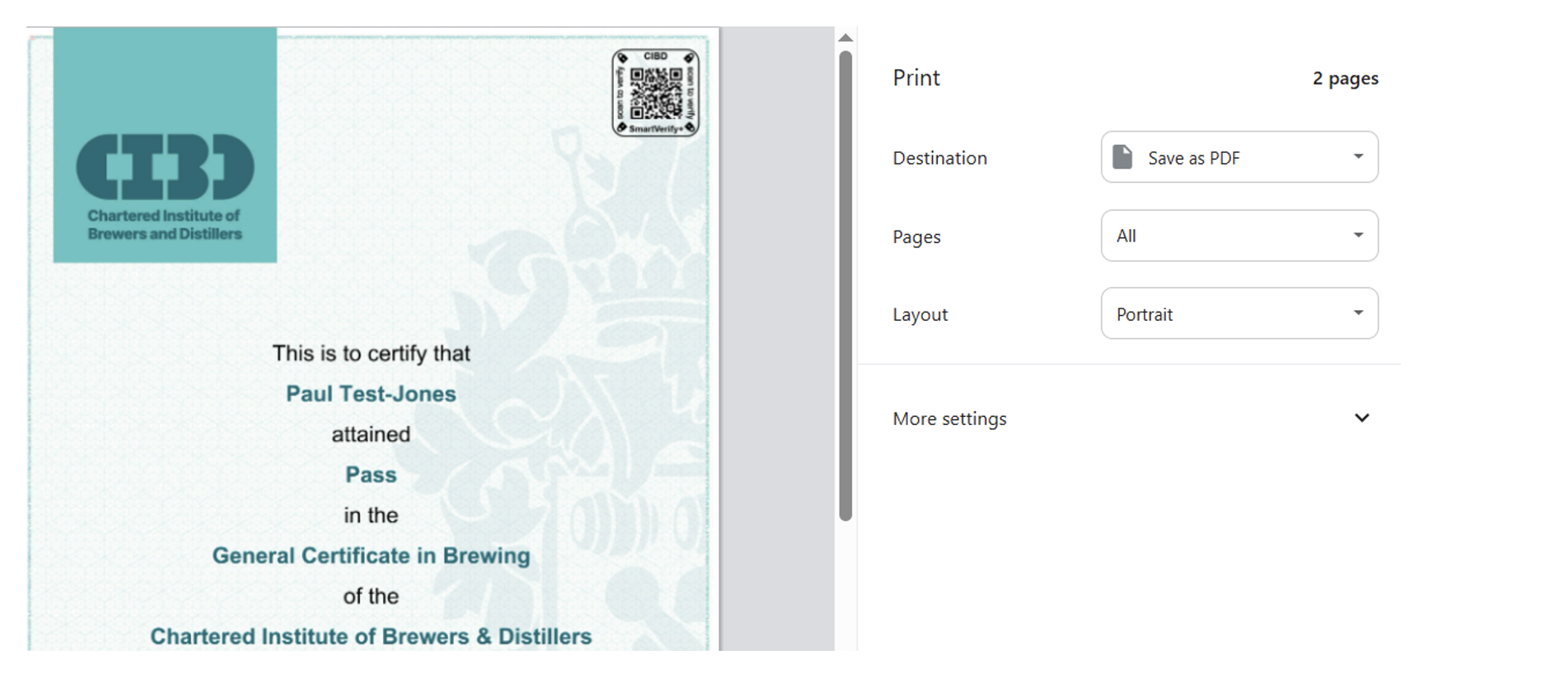
A pop-up will appear with print information, click print:


Another pop-up will then appear allowing you to print or save as a PDF:


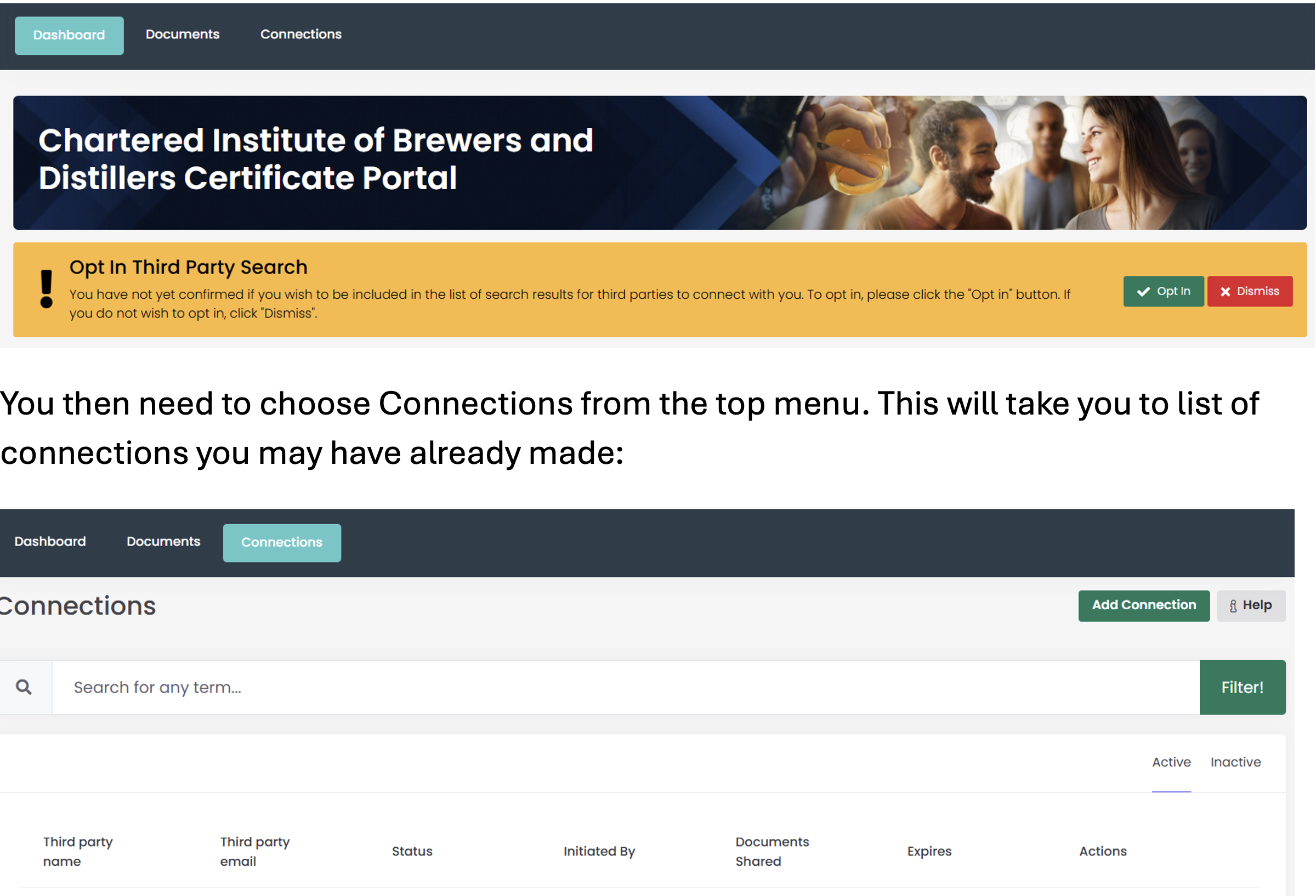
Within the certificate portal please ensure that you have chosen to ‘opt in’ to Third-Party Searches:

Or you can add a new person/organisation in here so they can see your certificate.

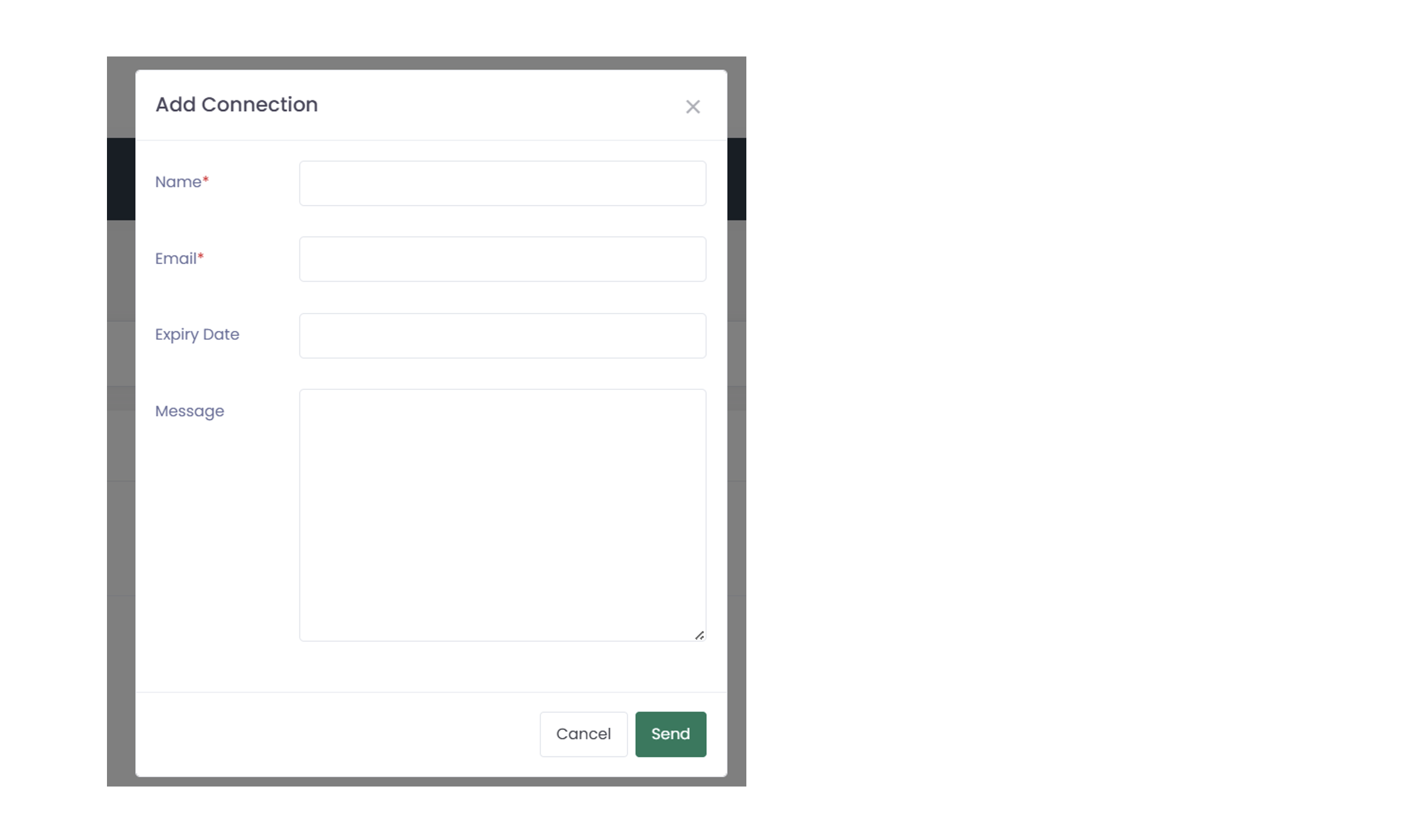
Click Add Connection (top right hand button).

Add the person’s Name, email address you wish the verification to go to, if you want an expiry date on how long they can see your certificate for, and a brief message, then click SEND:


If you know your original email address and login details please login using this information, then go to your profile (top right hand corner).

You can edit your username/email address in this section. Remember to save the changes before exiting.

If you do not know your original email address to log in to the portal you must contact CIBD: examinationboard@cibd.org.uk who can then manually re-set your username and password on your behalf. To do this you may be asked for security/identity documentation so we can verify that you are the person on the account. Please note during busy periods these requests may take time to be looked into.

Learning Material

All our learning material is hosted online via Moodle. To access your specific exam material, visit https://learn.cibd.org.uk. Once on this new page, click on the image of the computer or select the link.

This will take you to the login page where you can gain access to your learning material.  The login instruction would have been sent when you purchased the exam.

When you have logged in, there will be a menu bar displaying learning material that is available to you.

After you have selected the qualification that you are preparing for, you will arrive at the course home screen.

All our courses are split into units.

Each unit will have a list of lessons followed by a multiple-choice quiz at the end of the unit to test you on what you have just learned, so you can assess your knowledge step by step.